
How to create ghibli style AI image for free
- Open the Grok website or app, or navigate directly to the X app and click on the Grok icon.
- Ensure that Grok 3 is selected as the active model.
- Click the paperclip icon in the bottom-left corner to upload the desired photo.
- Type a request such as “Transform this image into a Studio Ghibli-style illustration.”
- Grok will process the request and return the stylized image. If the result is unsatisfactory, users can modify and refine the image using Grok’s built-in editing tools.
- And you can also regenerate the image if you are not happy with the result

The Ghibli style image trend began gaining traction when OpenAI enabled image generation and editing capabilities in ChatGPT-4o. Users quickly realized they could create illustrations with a distinctive hand-drawn aesthetic, similar to the visual style of Studio Ghibli’s iconic animated films.
As a graduate school student with a passion for animation, I have always been fascinated by the whimsical and enchanting art style of Studio Ghibli films. The distinctive Ghibli style, characterized by its vibrant colors, detailed backgrounds, and expressive characters, has captured the hearts of audiences around the world. One of the challenges I have encountered in my own creative projects is how to replicate this iconic style in my own artwork. Fortunately, I have discovered a few simple steps that can help to convert an image into a Ghibli-style masterpiece for free.
The first step in converting an image into a Ghibli style is to find a suitable image that lends itself well to this artistic transformation. Images with a strong focal point, interesting composition, and plenty of detail tend to work best for this purpose. Once you have selected an image, the next step is to upload it to a free online image editing program such as GIMP or Pixlr. These programs offer a range of tools and effects that can be used to manipulate and enhance your image in order to achieve a Ghibli-inspired look.
One of the key features of the Ghibli style is its use of vibrant, saturated colors. To replicate this effect in your image, you can use the color adjustment tools in your chosen image editing program to enhance the brightness and contrast of the colors. You may also want to experiment with different color filters and overlays to achieve the desired effect. Additionally, paying attention to the color palette of your image can help to evoke the dreamlike and otherworldly feel of a Ghibli film.

Another important aspect of the Ghibli style is its attention to detail, particularly in the backgrounds of its scenes. To create a similar effect in your own image, you can use the editing tools to add texture and depth to the background elements. This might involve adding layers of detail such as foliage, clouds, or architectural elements, as well as adjusting the focus and lighting to create a sense of depth and atmosphere. By paying close attention to the details in your image, you can help to recreate the immersive and enchanting world of a Ghibli film.
In addition to colors and details, another key element of the Ghibli style is its expressive characters. To bring your own characters to life in a Ghibli-inspired image, you can experiment with different facial expressions, poses, and gestures to convey emotion and personality. You can also use the editing tools to enhance the textures and shading of your characters to give them a more hand-drawn, painterly quality. By paying attention to these details, you can create characters that are not only visually striking but also emotionally resonant, just like those in a Ghibli film.
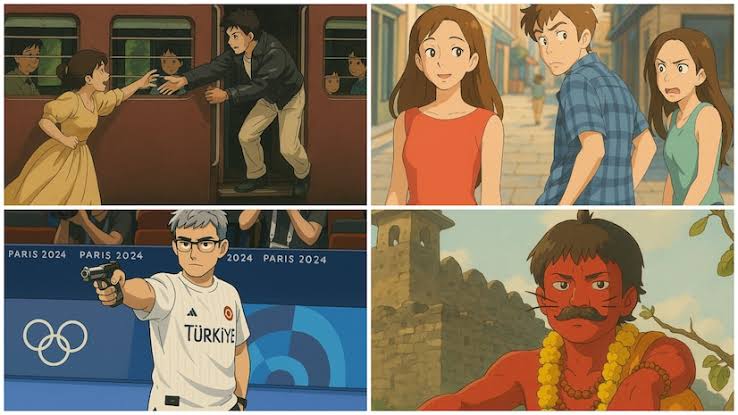
Once you have adjusted the colors, details, and characters in your image to achieve a Ghibli-style look, the final step is to apply a finishing touch to give it a cohesive and polished appearance. This might involve adding a filter or overlay to enhance the overall lighting and mood of the image, as well as adjusting the composition and framing to create a sense of balance and harmony. By taking the time to finesse the final details of your image, you can create a Ghibli-inspired masterpiece that is both visually captivating and emotionally engaging.
In conclusion, converting an image into a Ghibli style for free is a fun and rewarding creative challenge that can help to bring the magic of Studio Ghibli films into your own artwork. By following the simple steps outlined above and experimenting with different tools and effects in an image editing program, you can create images that capture the essence of the Ghibli style while showcasing your own unique creativity and vision.
Whether you are a seasoned artist or a beginner looking to explore new techniques, converting images into a Ghibli style is a fantastic way to hone your skills and create art that is both beautiful and inspiring. With a little patience and practice, you too can master the art of Ghibli-style image conversion and bring a touch of magic to your own creative projects.
Also read:About Grok Ai by xAI in the words of Grok Ai

I’m the voice behind Infobix.in, where I blend tech insights, practical tips, and engaging content. As both the administrator and author, I’m dedicated to making useful knowledge easily accessible for everyone. Welcome to a space where curiosity meets clarity!